 SellClaw
If you are searching for an amazon keyword tool, one of the most practical use cases is competitor keyword research. The short version is simple: import a competitor product URL or seed keywords, get keyword data, expand the list, keep the useful terms, and then review your own keyword set.
That workflow is more useful than collecting random phrases because it gives you a structured way to understand how competing listings are positioned and which search terms deserve space in your own content or analysis.
How do you use an Amazon keyword tool to find competitor keywords?
The process usually has five parts:
- import keywords by text or URL
- get keyword data
- expand keyword ideas
- filter and add useful keywords
- review your own keywords
Used well, this helps you move from a single competitor product page to a much broader view of search demand and keyword coverage.
Step 1: Import keywords by text or URL
The first step is to give the tool a starting point.
You can usually do that in two ways:
- paste a list of seed keywords as text
- import from a competitor product URL
Text import is useful when you already know a few core phrases such as the main product term, common modifiers, or obvious buyer searches. URL import is useful when you want to start from an actual competing listing and work outward from that product context.
For competitor research, URL input is often the faster option because it reduces guesswork. Instead of brainstorming from scratch, you begin with a product that is already competing for the searches you care about.
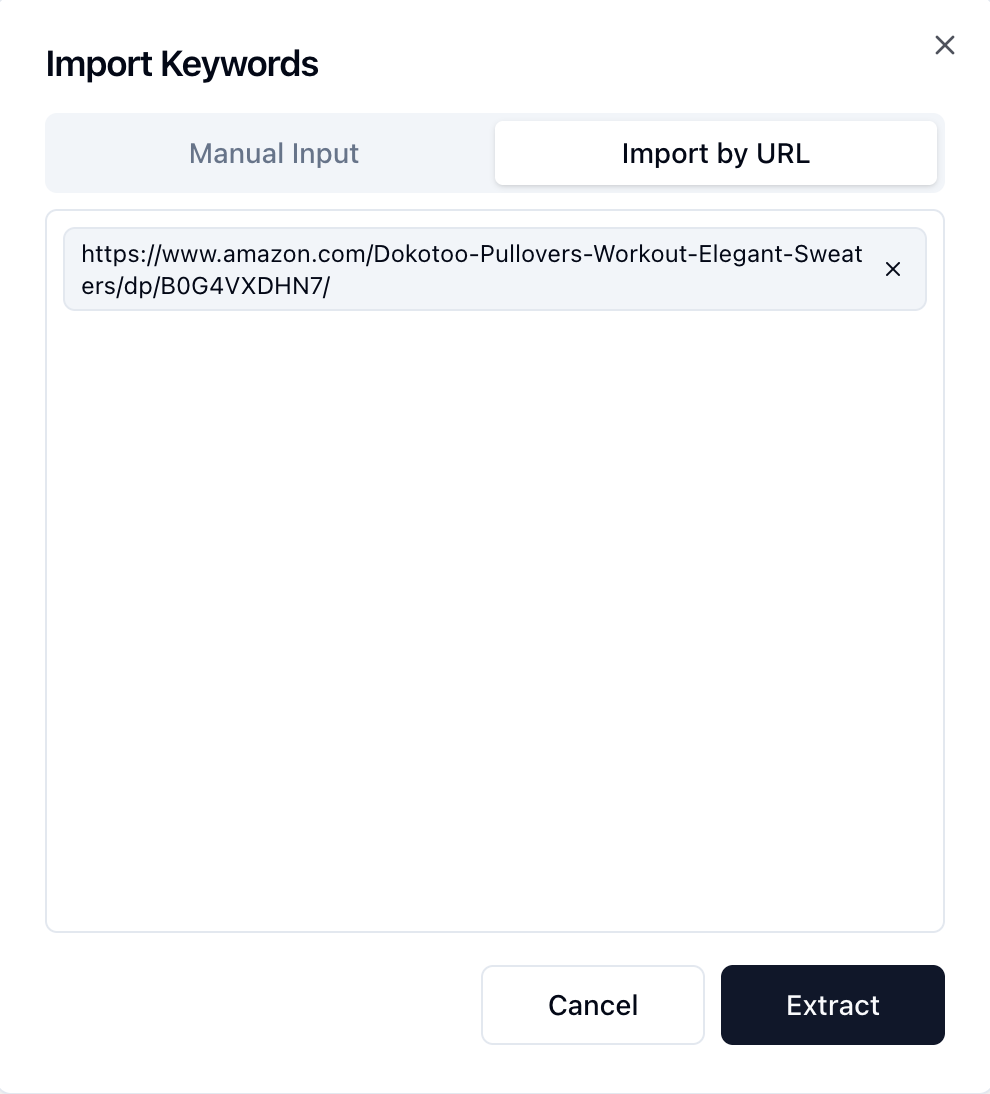
After submitting the URL, the tool returns the initial keyword set connected to that product. This gives you the starting pool for expansion and deeper filtering.
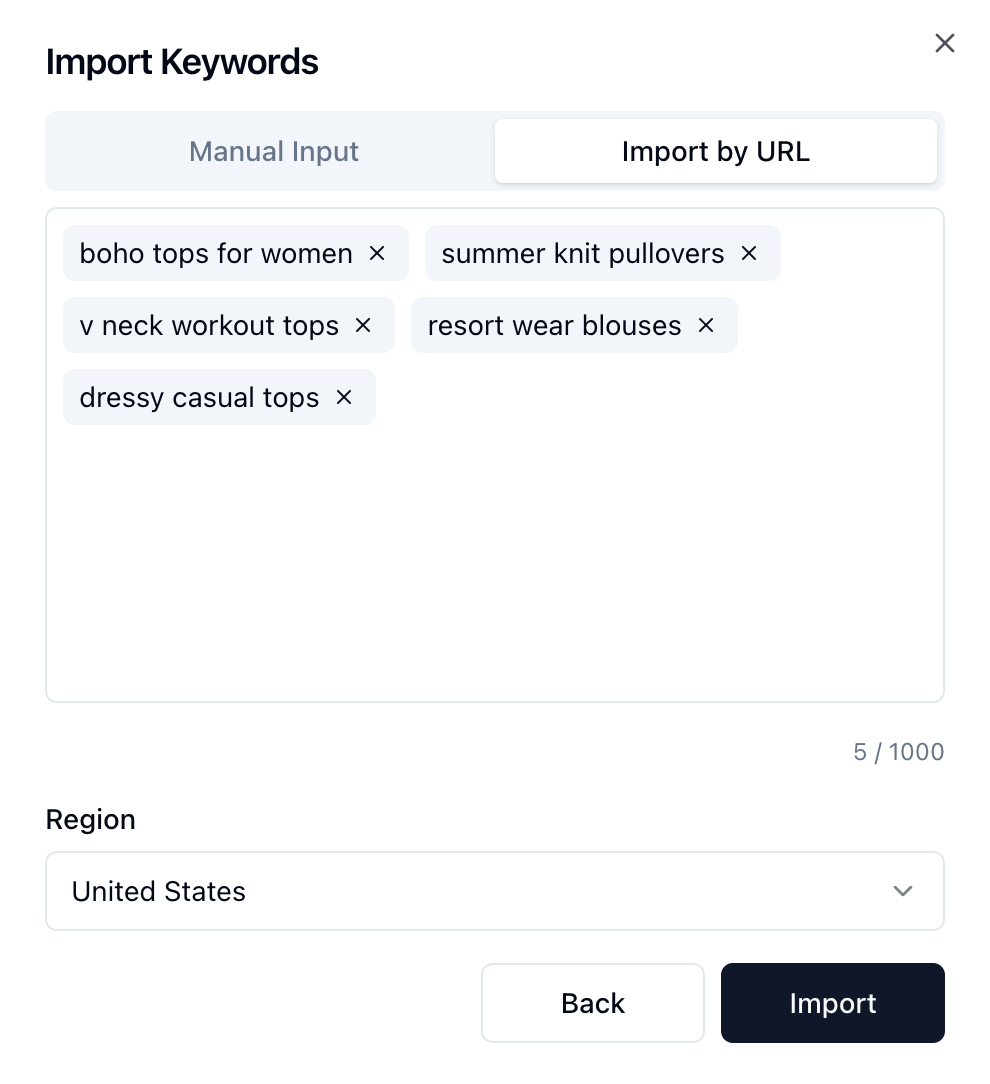
Step 2: Get keyword data
After import, you need data before deciding which terms matter.
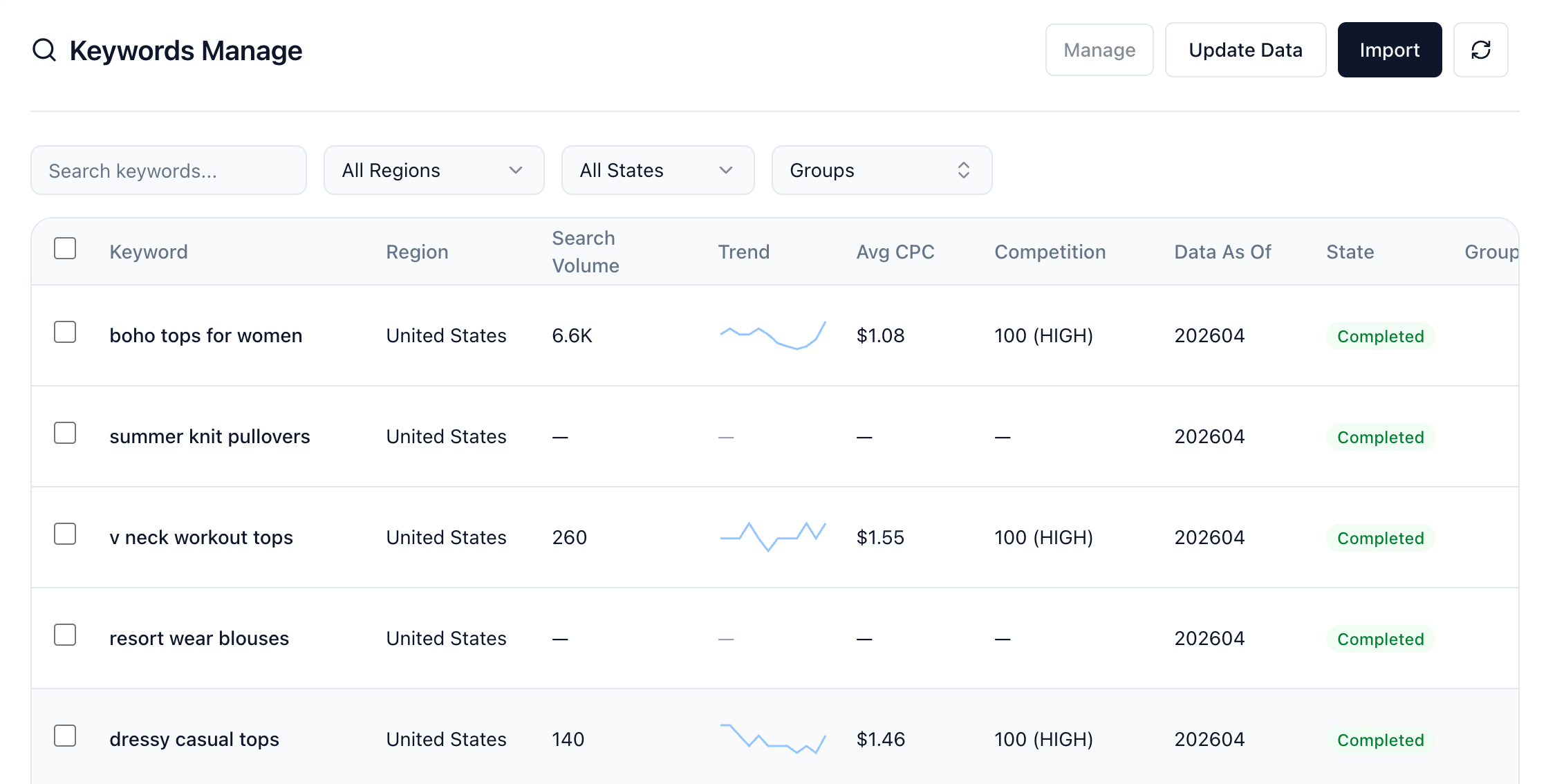
At this stage, the goal is not just to collect more keywords. The goal is to understand which competitor keywords are worth attention based on measurable signals. Depending on the tool, the keyword data may include fields such as:
- search volume
- trend
- CPC
- competition
- relevance
Looking at the raw list without data usually leads to bad decisions. A keyword may look attractive because it sounds relevant, but it may have weak demand, poor commercial intent, or competition that does not match your current strategy.
Keyword data gives you a way to separate:
- high-volume but broad terms
- lower-volume but highly relevant terms
- high-cost or high-competition terms
- niche terms with clearer ranking opportunities
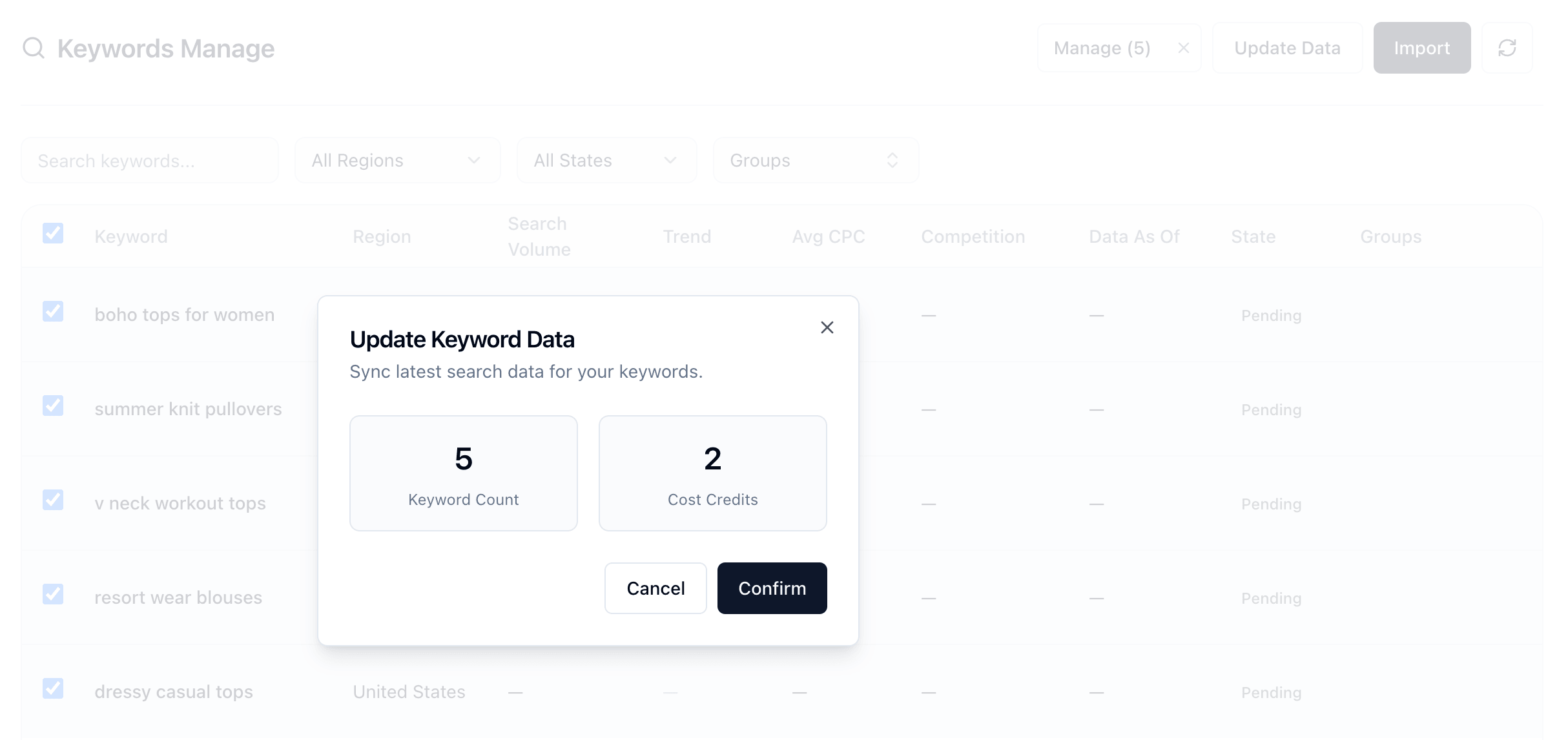
Once the latest metrics are synced, you can review the full keyword data table and compare terms using the final results list.
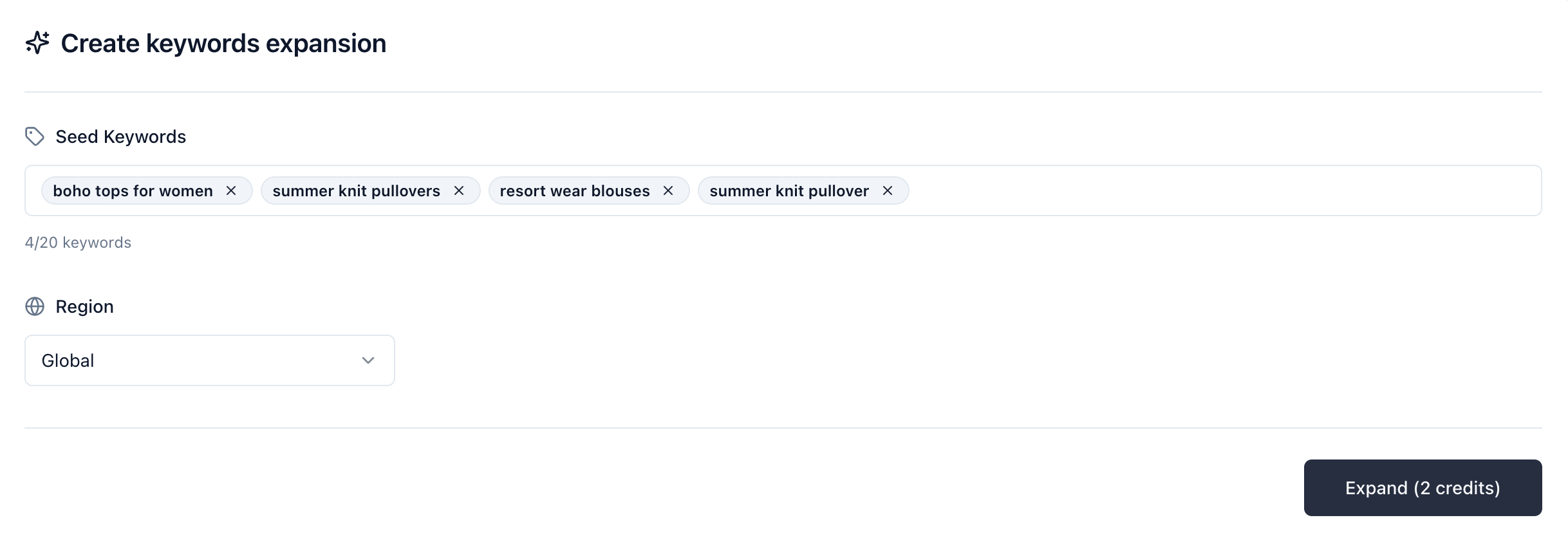
Step 3: Expand keyword ideas
Once you understand the initial data, the next step is expansion.
This is where an amazon keyword tool becomes more valuable than a manual spreadsheet process. Expansion helps you move beyond the exact seed term and surface related searches, longer-tail variations, modifier combinations, and adjacent intent.
For example, a small seed set may expand into:
- close variations of the main keyword
- size, color, material, or use-case modifiers
- comparison-driven phrases
- more specific long-tail searches
This matters because competitor strategy is rarely visible from only a few obvious phrases. The broader keyword set often reveals where competitors are covering niche demand and where they are still weak.
Step 4: Filter and add useful keywords
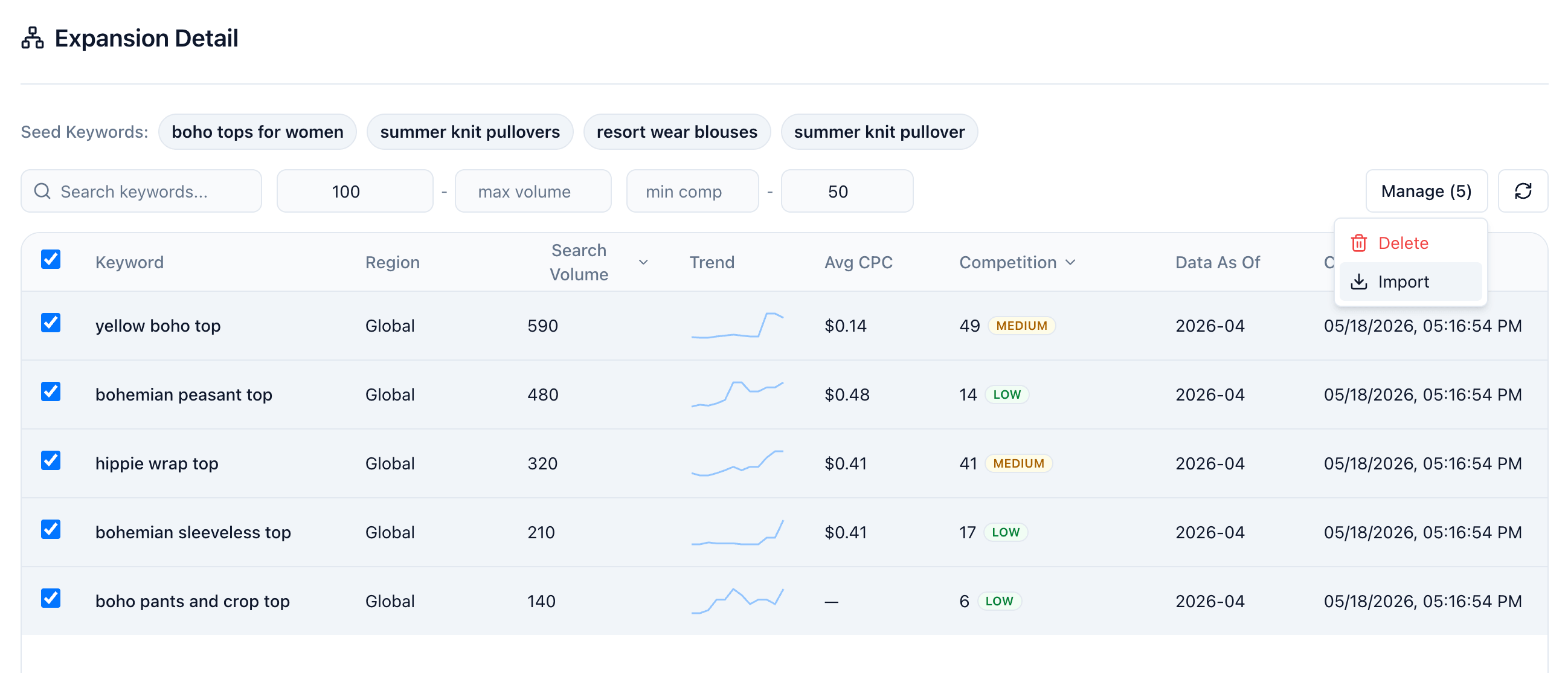
The next step is filtering and saving the terms that are actually useful.
This is where you turn a large exported list into a usable working set. Without filtering, competitor keyword research becomes noisy very quickly.
A practical filtering pass usually focuses on:
- direct product relevance
- minimum search demand
- acceptable competition level
- useful buyer intent
- long-tail opportunities
In practice, many sellers end up with three groups:
- primary keywords for core listing coverage
- secondary keywords for supporting copy
- exploratory keywords for testing or deeper research
This step matters because not every competitor keyword should be copied into your strategy. Some terms are too broad. Some are weak fits. Some are valuable only for analysis, not for direct listing use. After filtering, you can add the strongest keywords into your working list for later listing optimization or research.
Step 5: Review your own keywords
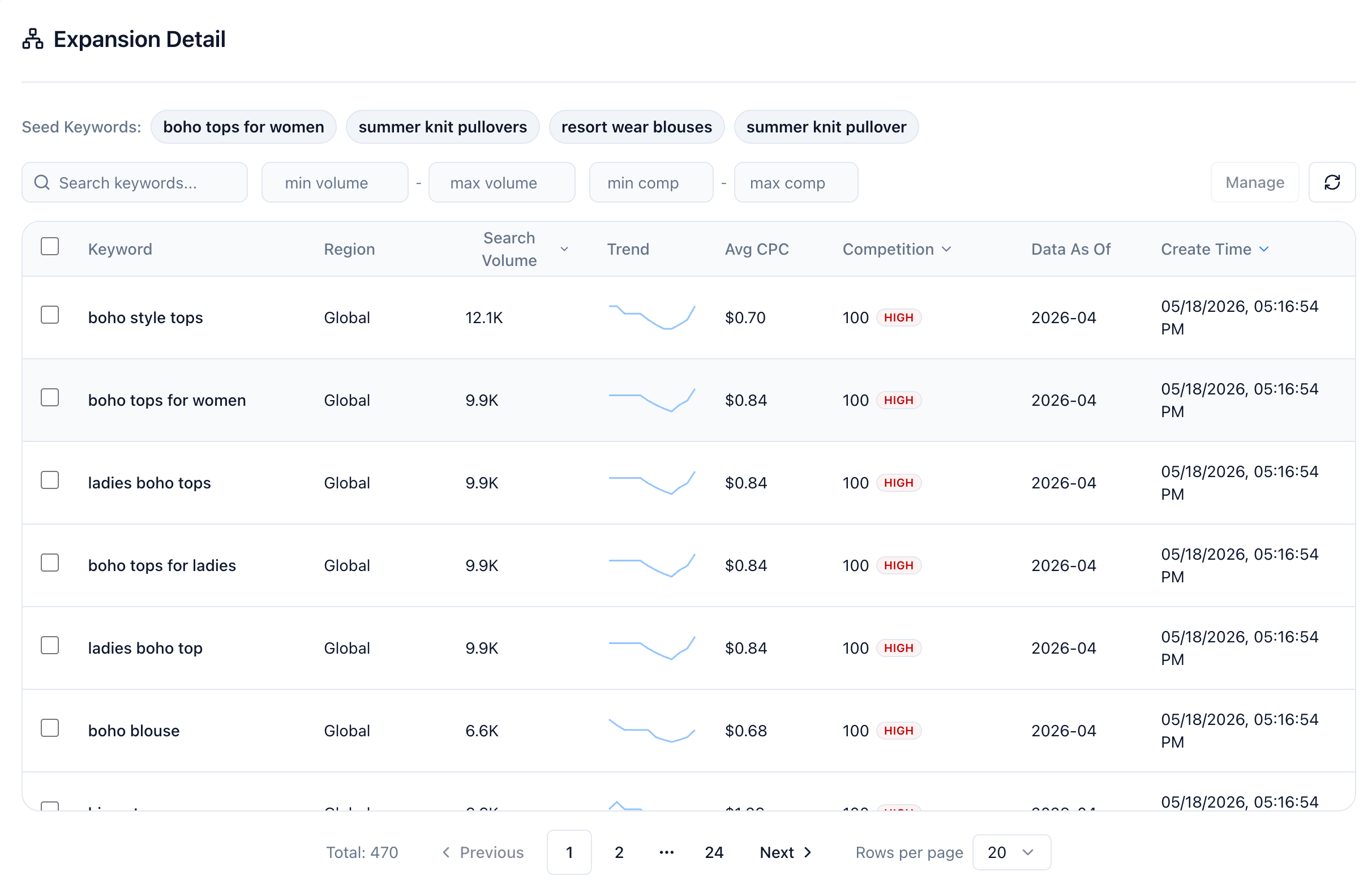
After adding the useful competitor terms, the last step is to review your own keyword set in one place.
This is where the workflow becomes practical. Instead of leaving keyword research as a separate task, you can check the final list you kept, compare keyword groups, and decide what should be used in your listing, content, or future optimization work.
A final review usually helps you confirm:
- which keywords are core priorities
- which keywords are supporting terms
- which keywords should be tested later
- which keywords are not worth keeping
The value here is not just discovering competitor terms. It is building a keyword list you can actually use.
What makes a competitor keyword worth keeping?
A good competitor keyword is not just a term another listing might rank for. It should usually meet most of these conditions:
- it matches your product closely
- it reflects real buyer language
- it has enough demand to matter
- it fits your listing or campaign goal
- it is realistic for your current competitive position
This is the difference between keyword collection and keyword selection. A strong workflow does not reward the biggest keyword list. It rewards choosing the terms that are both relevant and actionable.
Common mistakes when researching competitor keywords
Sellers often make the same mistakes when using an amazon keyword tool for competitor analysis:
- starting with too few seed keywords
- keeping irrelevant expanded terms
- focusing only on volume and ignoring relevance
- treating every competitor keyword as equally useful
- skipping the final filtering pass
The result is usually a bloated keyword list that is hard to apply and even harder to prioritize.
Final answer
If your goal is to find competitor keywords with an amazon keyword tool, the most effective workflow is:
- import keywords by text or competitor URL
- pull keyword data
- expand the keyword set
- filter and add useful keywords
- review your own keyword list
That process gives you a cleaner view of how competing products are positioned in search and helps you build a keyword list that is more useful for listing optimization, content planning, or deeper market research.